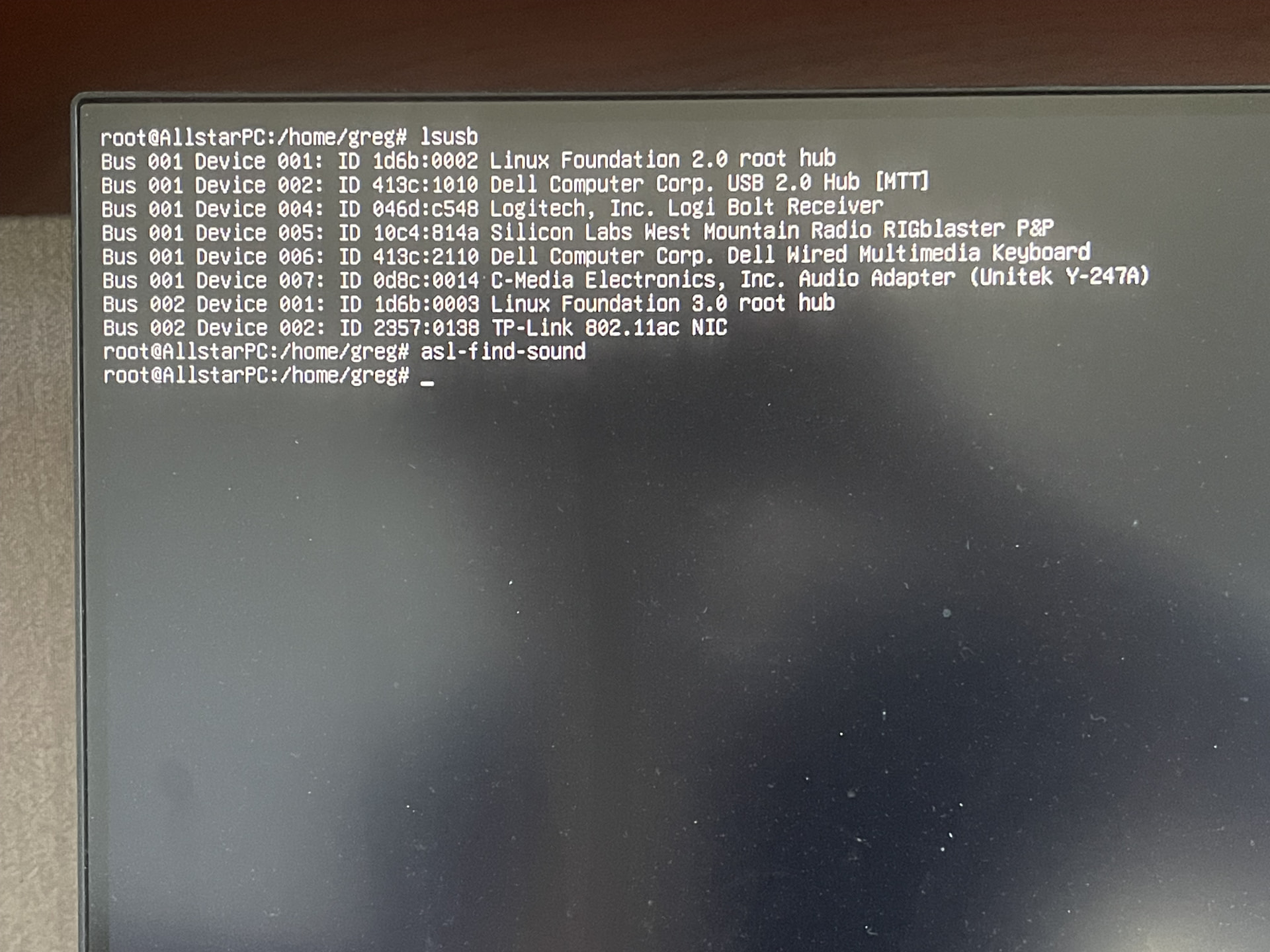
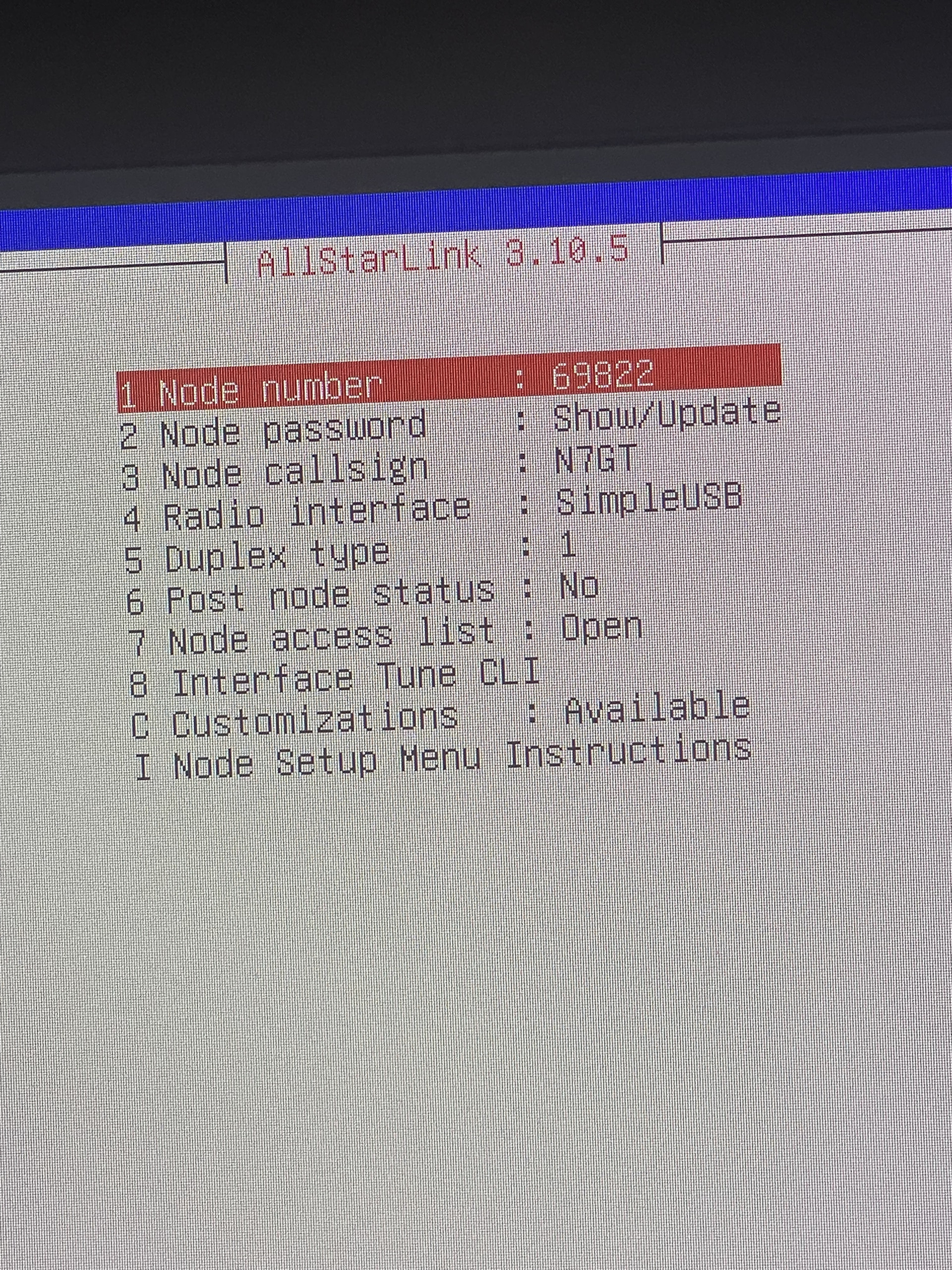
Please don't laugh, but I have reached a brick wall and completely unsure what do now. Despite knowing absolutely nothing about Linux, I was pleased that I was able to get Debian 13 installed, along with ASL3.10.5 and Asterisk. I open asl-menu and go to "Interface Tune CLI" and set my active USB Device. I then select "Set RX Voice Level using display" and it reports my correct device, following by "...the associated USB device string was not found."
Knowing nothing about Linux, I have no idea how to proceed.
My hardware is an HP Z2 workstation, repurposed to Debian and Allstar Linking. The sound interface I am using is a West Mountain Radio RigBlaster USB Plug-n-Play and the radio is a Yaesu FT-7800 mobile.
My goal is to create an Allstar Node to the local repeater.
I would greatly appreciate someone with the patience to help me, or even better, if someone is in the Phoenix/Tucson area to come help walk me through getting this configured and working. I'm good in QRZ!
I'm using the Rigblaster USB Plug-n-Play from West Mountain Radio, and I'm using the supplied cable that goes from the Rigblaster to the port on the back of the FT-7800.
There is another problem with the USB ID not being recognized by ASL.
I think you’re better off getting a different USB device. But before I recommend something, what radio are you planning to connect to? Does it have connections for PTT and COS, or audio only?
RIGblasters are not compatible with ASL currently. They do not support CM1xx PTT, and their "Plug & Play" model doesn't even have an audio codec IC. An AllScan URI125 would probably be your best option to interface to a Yaesu FT-series radio. A RIGblaster could work if ASL was extended to use serial port PTT/COS, or you could use Ampersand-ASL which does support serial port PTT/COS though is still Beta software. Update: As NQ4T noted the RIGblasters do not support COS which reduces their usefulness for ASL, and would require the USBRadio channel driver in carrierfrom=dsp mode, which is good way to go with mobile radios but probably better to use a URI that does fully support AllStar.
The RigBlaster Plug & Play will not work with ASL3 without major modification.
The first thing pointed out is that the USB ID for the sound device is wrong. You have a CMedia device, but it's 0d8c:0014. I didn't follow the issue enough to know if this was added to res_simpleusb or not.
That being said...it seems to be mostly compatible and could be over-ridden to work by adding it's vid:pid in to a conf file. That's not where the problems end.
The problem is that the RigBlaster does not have COS. Maybe that Echolink mod helps...but then your radio still needs a way to tell the sound card it's squelch is open so it can actually transmit the module.
It doesn't support the PTT methods and it getting reliable COS is going to be difficult. RigBlaster is the wrong device for this purpose.
David, thank you for your response. I hope "3rd time's a charm" since I began with a DigiRig, switched to RigBlaster USB, and now I'll place an order for an AllScan URI125. Initially, we considered having something on Echolink, but the audio is terrible and everyone I've spoke to about ASL specifically comments on the great audio. Windows is so hardware/driver dependent. Being completely naive to Linux, this has compounded my frustration so I great appreciate everyone's input and direction. I am positive that I'll have more questions once I receive the URI125. Thanks again and I look forward to chatting with you someday!
As you are finding out, interfacing to a radio can be a difficult part of building your own AllStar node. For that reason hotspots (a device with a small radio and computer) are a popular option.
Seeing as you have a dedicated computer, I recommend the HotSpotRadio-USB or better yet the USB Duplex Repeater. The duplex version will allow you to easily disconnect or otherwise control your node when connected to a busy net or chatty node. These require no wiring. Just plug in the USB cable.
I’ve build many hotspots and repeater nodes. At home I use the HotSpot Radio duplex version and like it very much.
Not to complicate the discussion, but I wanted to add, since it technically is a repeater, it's useful to take an extension SMA coax and put one of the antennas on that (to mitigate any desense). I just use a six foot piece and it works great. (maybe an extra $8-10). Other than that one little hack, this is the greatest thing since sliced bread...
Thanks everyone for the responses and suggestions. I live about 5 miles from one our of mountain top repeaters. From my house, I want to create an Allstar link using an older Yaesu FT-7800 mobile. The 7800 has the Mini-6 DIN jack in the back, making interfacing much simpler. Reading the posts, it sounds like David's suggestion of the AllScan URI125 should fit my needs. This ALS node will be for our snowbirds to access when they are not here to stop in and chat. They'll connect to the node, which in turn will give them access to the repeater. It's been both frustrating and educational to dive into ALS and learn something new.