I have searched on the forum and found a few instances of this. However most of them are very old. Understand I am very new to AllStar and so some of my questions may be pretty naive.
Here is my setup;
I am using ASL3 on a RPi4. This is at my qth. I am linking to our repeater via a 220mhz link with another 220mhz link at the site. This is connected to our Arcom controller on our 2mtr machine. What is transmitted at the repeater site gets TX'ed back to my house and vise versa. Working great right now.
I know there is a record function within the software. Just not sure how to install this portion. What I would like to do is to be able to turn this on / off as well. Also would like to have it record conversations and be able to go back and archive these. Not sure if these could be pushed to a thumb drive connected to the Pi but that would be nice to be able to access those thru the network or pull the drive and plug them into my desktop.
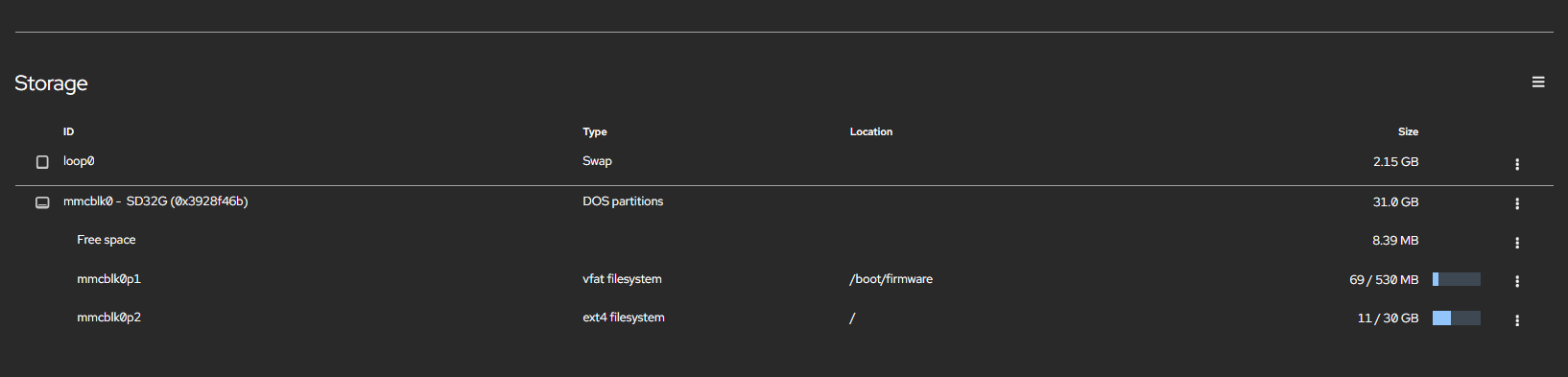
Who has or is using this? I can see where this can REALLY use up a lot of space. So putting this off of the main sd card is what I would like to do. Who has done that and what was the process?
I do it on an sd card… I delete any recording more than 60 days automatically. No reason to keep audio files more than a month. It only records when a signal is received.
16gb sd card. Been using it for over 3 years now. With a 32 gb card if you have extremely active system you could go a year till you would need to delete, the files are not that big, mono 8 mp3 compressed. Slow down?? On a bad day the processor is running at 10% with a pi3B plus.. most of the time average of 3%
Tho I would clone the sd card as a back up for just in case and use the best fastest sd card out there.
Dale this is really good news and I really appreciate your responses. This is used in conjunction on our main hub repeater for Skywarn here in Georgia on the Georgia Skywarn Linked Repeater System serving 96 counties with the NWS in Peachtree City, GA. Our goal was to make it easier for repeater owners to link in during Skywarn activations.
As mentioned at the first I am brand new to this so please forgive the dumb questions. And here is probably one.
This is on my home network and I can access the Pi via that. Will I be able to copy these same audio files over from the Pi running the AllStar node and store them on my desktop computer that is on the same network? My goal is to be able to edit these down or piece together for future training for our NCS's and possibly passing on to the NWS themselves if needed.
Being at your home with the node will be advantage, you could get a old pc 500 gb hard drive, load Linux on it with All Star Link with the usb radio controller… I have 2 Dell 3040 pc 16gb drive and 8gb of ram running with DVSwitch to DMR set on TG91 and the otherTG for state of Oregon I think 4161
with that large of a 500 gb hard drive you could go years and keep all the recordings. As the years go on it saves them in year folders.
You will have thousands of these little files, it records and saves them every time someone keys up the repeater and it unkeys, so it records every kerchunk, tail message, weather announcments, time announcement and ID
Part of that for me personally is cost. Retired teachers budget, we are always looking at the little things to cut costs. So if I did have something locally and have something that could eventually overwrite after an extended time would be great.