Hi sir. how to fix when conect to other node show eror …OK: Unknown node number (MYNODENO.) thank you .//AllStarLink allmon 3 ver 1.3.4 on Cloud
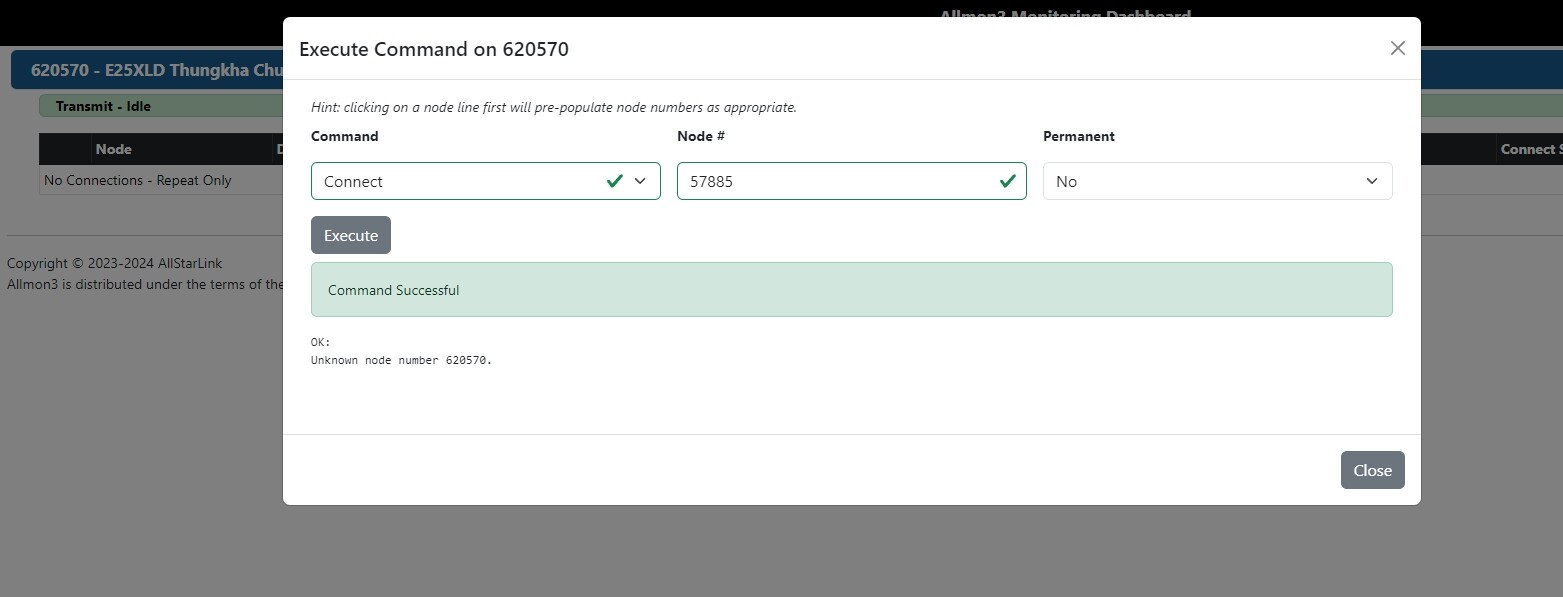
That error is stating node 620570 on the underlying ASL host you’re connecting to isn’t properly configured. If you connect to ASL directly and do rpt cmd 620570 ilink 3 57855 does it work?
Unknown node number 620570.
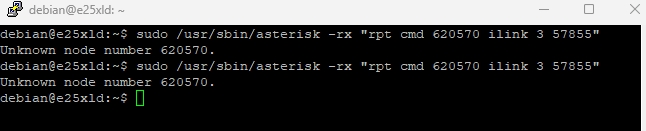
This is showing the node you are attempting to connect to does not exist.
But with a look
The node 57855 is ‘not registered’ and can do nothing on the network connection-wise.
When it is registered again, it will be connectable.
Hi!
Im also having the same issue. I have created a debian 13 virtual machine with asl3 and after adding a node and setting up zoiper, I also have unknown node number issue. The node is registered and I tried adding a private node 1999 to connect the two as well but I got unknown for both nodes 62919 and 1999.

asterisk CLI shows this

When I try connecting from zoiper I get this in asterisk CLI
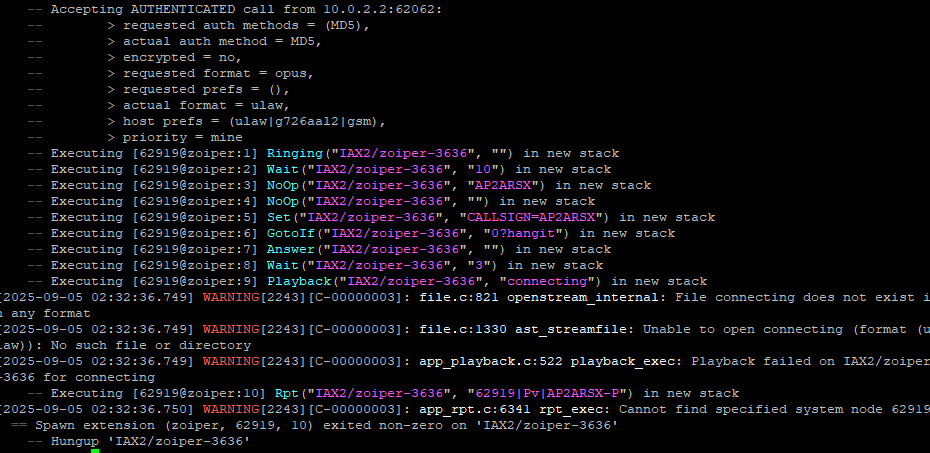
rpt lookup 62919 shows up correct

Any idea what I could be missing here?
I have removed the node and rebooted, re-added but issue persists. I also added node 62702 and got the same issue.
I was going to open a new topic but found this thread so I thought it could be related. Let me know if a new topic would be better.
Port 4569 is forwarded internally, so zoiper should be able to connect via iax.
Look at /var/log/asterisk/messages at startup time to see if there are errors. The most likely issue is you don't have a functioning DAHDI kernel module set.
That was it. I made a new VM with Debian 12 instead as I was facing the same issue constantly on Debian 13. Even reinstalling dahdi didn’t work.
Thank you!
Debian 13 is not yet supported by ASL as I mentioned in the package announcements. Unless you're prepared to do some extra legwork to troubleshoot problems, stick with Bookworm.
I had this same issue on a recent Intel VM. But in my case, I was already on Debian 12 bookworm.
The solution was to see exactly what kernel module dahdi had installed and then to make my kernel match that version.
root@racknerd-XYZ:/lib/modules# find . -iname "*dah*"
./6.1.0-38-amd64/updates/dkms/dahdi.ko
./6.1.0-38-amd64/updates/dkms/dahdi_dummy.ko
./6.1.0-38-amd64/updates/dkms/dahdi_transcode.ko
uname -r
6.1.0-9-amd64
uname -a
Linux racknerd-XYZ 6.1.0-9-amd64 #1 SMP PREEMPT_DYNAMIC Debian 6.1.27-1 (2023-05-08) x86_64 GNU/Linux
You see the mismatch here? I have no idea how that happened but it’s easy enough to fix it.
To fix it, I did this:
apt install linux-image-6.1.0-38-cloud-amd64
apt install linux-headers-6.1.0-38-cloud-amd64
Once done (plus a reboot of course), I had a working system. I also found that allmon3 seemed basically “unconfigured”, but that was easy, just edit asterisk’s manager.conf and get it matching with allmon3’s configuration.
–E
de W6EL
This is what asl-check-install does for you automatically.
I just faced the issue mentioned by @w6el with a Debian 12 VPS cloud and running asl-check-install after ASL3 installation fixed everything. Didn’t know it existed. Will be running it after every install going forward.
Thanks a ton!