Yes, if you can capture the console log at the same time from the Master RTCM to correlate with the Asterisk log, that would be helpful in trying to see who is initiating the timeout.
3.10.7 should significantly improve the packet processing on the host side, and reduce the amount of time/places we can get stuck processing client traffic.
I am suspicious that there could be traffic keeping the RTCM busy processing incoming packets, instead of servicing the watchdog. But without seeing the console log from the Master RTCM, and correlating it with the Asterisk events, that is just speculation.
The incoming firmware update will also add a debug diagnostic to the firmware to see if the Ethernet chip is getting hammered and overflowing its RX buffer (which will lead to receive packets being dropped).
I need to compile and test that the firmware loads, then will advise when it is in the repository.
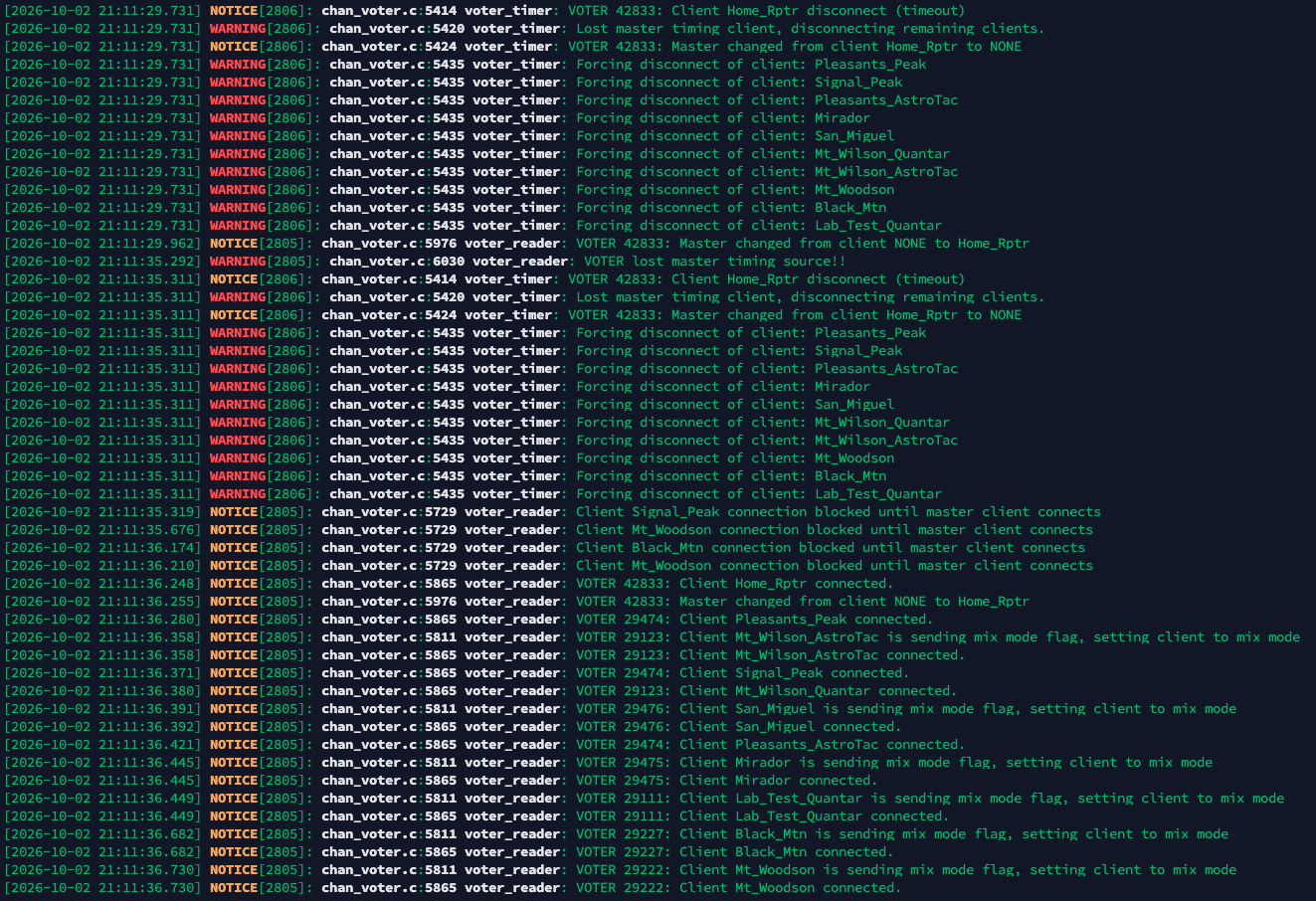
[2026-10-02 21:11:35.292] WARNING[2805]: chan_voter.c:6030 voter_reader: VOTER lost master timing source!!
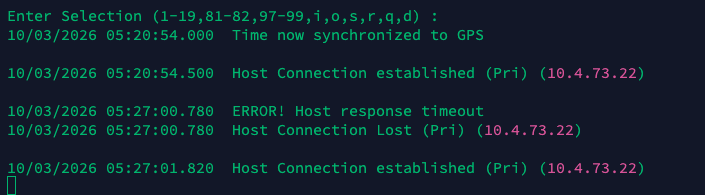
That seems to indicate that the Master RTCM thinks it hasn't heard from the host in >6 seconds, so it is the one that drops the connection. Not the host missing packets coming from the Master RTCM for 100ms.
Since we're using GPS timing here, I am hoping that those timestamps are very accurate. But the only way to get the "Host response timeout" is for the RTCM to be missing traffic for >6 seconds.
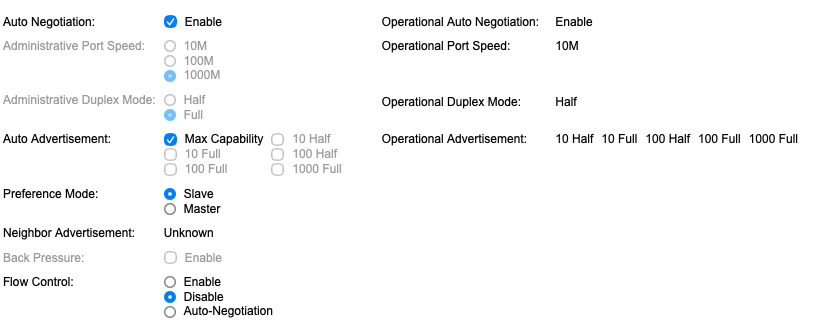
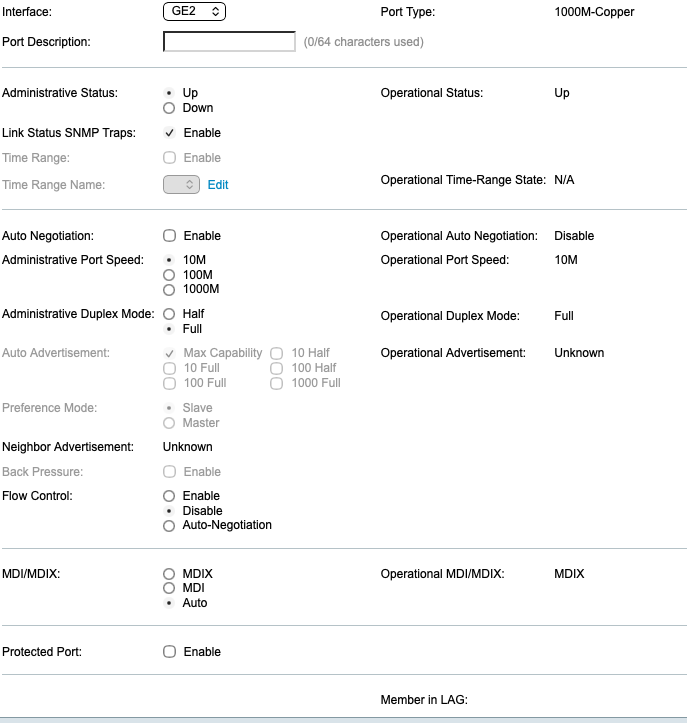
What is the duplex setting of Home_Rptr again?
Are these logs you just posted with the 4.01 firmware on the RTCM, or the original 3.00 firmware?
I've got a couple other things to try and fix on the transmit side in the firmware in the RTCM, so I will work on those next, then go back to looking at the channel driver some more.
Can you describe what the network looks like between where Home_Rptr is and the Asterisk host?
I know above you mentioned that they are on the same VLAN, but physically separated. What exactly does that entail, including the types of switches being used?
The server has two switches between it and the router. The Master has two switches between it and the router, with the switch closest to the router being common for both devices.
The router is a Ubiquiti UDM SE which is connected to a Ubiquiti 48-port switch. The server is connected to another Ubiquiti 16-port switch, which is connected to the main 48-port switch. The Master RTCM is connected to a 24-port Cisco switch which is connected to the 48-port main switch.
Thanks, that helps me understand the architecture a bit better.
Have you looked at the port stats on the Cisco switch to see if the port is taking errors? I know I have seen my C3850's get unhappy in the past... can't remember why off the top of my head, but it effectively bounced the port once in a while.
My notes say I had to switch the port to 10/auto to clean things up... but I don't quote me on that.
I do know the RTCM doesn't do auto-negotiate. So an attached switch may not properly detect the 10mb/s speed... like a Cisco which may be too smart for its own good sometimes.
Still working on another firmware update to fix some transmit path bugs in the TCP/IP stack.
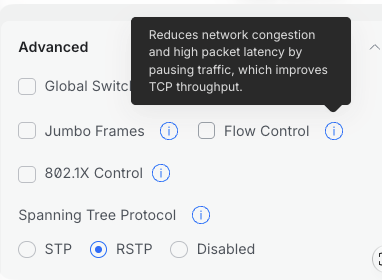
Do you happen to have 802.3x Ethernet flow control enabled on the switch? I have run into problems with switches that have it enabled where a sudden burst of traffic from a real-time source, like a node or RTCM, has hit the packet threshold and locked the port out for a period of time.
It did not used to be enabled by default, but it seems like a lot of things I encounter recently have it turned on. I am assuming it helps some other use case for it to be on, but I don’t know what it is. But I’m a network curmudgeon
I have this setting on my UniFi switches. It doesn't specifically mention 802.3x, but it sounds consistent with what you’ve described. It isn't enabled by default although this is the way it's been configured for several years and I never had these issues until recently.
The reason I suggested it is because if it's some code bug flooding enough packets at once to trigger flow control, that could be what's causing the drop and would hint at something to look at.
Glad you got the duplex issue sorted out, Greg. That could definitely be a contributing factor for creating excess colissions and errors.
I've update the 4.01 firmware to add some more fixes for Microchip silicon errata that wasn't necessarily being handled well/properly in the firmware.
And in particular, there is a bug fix that could have prevented keepalive packets from being sent on the proper cadence under certain network conditions, which could lead to timeouts.