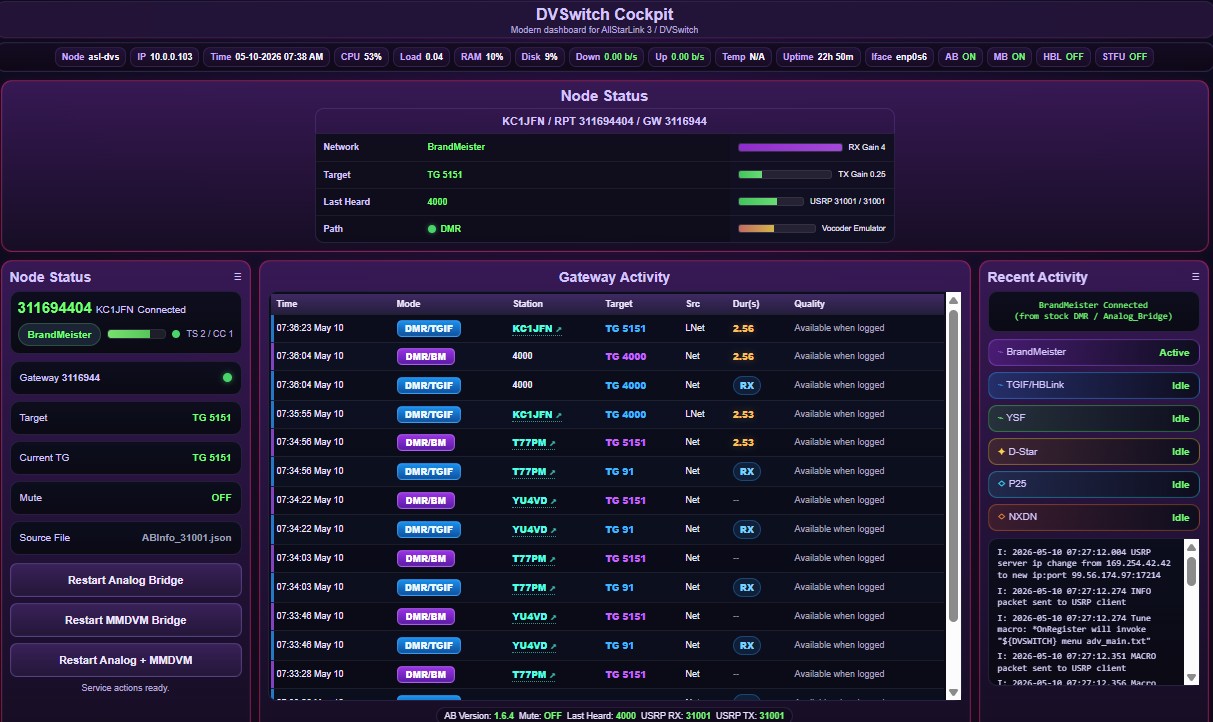
I built a small free/open-source status dashboard for ASL3/DVSwitch called DVSwitch Cockpit.
It is read-only for network control. It does not connect or disconnect modes. It only displays runtime status, recent gateway activity, DMR ID/callsign lookup, QRZ links, and includes limited restart buttons for Analog_Bridge and MMDVM_Bridge.
I’m sharing it in case it is useful to anyone running DVSwitch.
Some great info and works like it suppose to. This is just a personal preference by the way. My only issue is the color. Now I know that this is not everyone but for me the purple is hard for me to see or focus. Maybe a small button or a script during install that will let someone choose a color. I was able to change the color to where I could see it better. Mine is mostly black and white. Black backgrounds with white text. Still working on changing everything so I can see it. Great job none the less. Great little install for someone that wants to give others access to see something but not be able to change anything
Your alltune2 was beautifully made. Thank you. But I got little problem with dvswitch dashboard as if I tune with your alltune2. It will automatic in STFU mode so my dashboard become blank.
So want to know if this cockpit can solve the issue I had?
Yes, I have been working on the bugs all day. Run this and see if it fixes what you are talking about: cd /var/www/html/dvswitch-cockpit
git pull origin main
sudo ./setup_dvswitch_cockpit.sh
Forbidden
You don't have permission to access this resource.
It's because you are trying to browse the Cockpit through a public Internet IP
DVSwitch Cockpit has a trusted-client security check and is intended for local/trusted network access. Other dashboards like the original DVSwitch dashboard, Supermon-ng, XLXD, or ASL3 Cockpit may allow public access, but Cockpit is more restrictive because it includes service restart controls and runtime APIs.
Terry
Maybe look into Tailscale. When you use Tailscale to access the DVSwitch Cockpit, the dashboard sees the request coming from a trusted internal peer rather than a public internet IP, which satisfies the security check.
If you do not want to revert to that version which has security concerns, I have addressed them in a fork at the moment. It enabled a login instead of being locked to trusted networks which as usually lan addresses. I am sure Terry will review the PR shortly but up to you .. You just use the source tree from my github instead of Terry's .
Like I said this is Terry's project, this was just a way to secure it and make it completely usable on cloud nodes and such.
I am running into this also, and we have a couple of remote sites which we do not have a VPN running (yet). Can we have the older build to roll back to?
Disregard, I see that Alltune is only for ARM now also, all our sites are running Desktop pc's so guess we just remove both apps. Shame they were really nice.
I thought so also, I got an error on a new install saying ARM dependent and when I asked i was informed it was for ARM, which I took to mean no AMD. Am I wrong, what did I do wrong on the install?