Not sure this is the right forum but tried to post a question on the groups.io DVSwitch group and it doesn’t seem to be active. I installed DVSwtich and DVSwitch Mode Switcher to use my ASL3 node to access DMR, YSF, etc. Everything seems to work as expected with one exception. When I connect to a DMR talk group (ex. TG91) I hear the current transmission until it ends and then nothing (ie I don’t hear the rest of the QSO or any following QSO’s). If I hit the switch TG button is DVSwitch Mode Switcher again (same TG), I will again hear the current transmission until it ends then nothing. Keying the mic has the same effect. This only happens on DMR (ie YSF, P25, etc stay on their TG until I disconnect). The only way I have found to keep a DMR TG coming through is to go in the Brandmiester web page for my node. (registered as a Brandmiester hotspot with my DMR ID plus 2 digit suffix & hotspot password) and declare that TG to be a static TG. Of course that means it overrides subsequent switch requests from DVSwitch Mode Switcher until I remove it as a static TG. Anyone else run in to this issue with dynamic DMR TG links going silent after the initial transmission? Thanks for your insights and suggestions.
Brent:
The DVSwitch groups are certainly active. Not sure what might be going on, but I didn’t see a post from you there.
I’ll bet you are using DMR instead of STFU for Brandmeister. BM really doesn’t like DVSwitch users logging in with MMDVM_Bridge, so DVSwitch includes another component specifically for Brandmeister, called STFU (simple terminal feature update, or so they say) to connect to Brandmeister’s Open DMR Terminal protocol. This is configured in /opt/MMDVM_Bridge/DVSwitch.ini. If it’s not already running,
systemctl start stfu
then change to STFU from Analog_Bridge
/opt/MMDVM_Bridge/dvswitch.sh mode STFU
or enable that mode in Analog_Reflector, or however you normally use DVSwitch Server.
Thank you for the response Patrick both here and on the nodes net last night. I’ve listened to the nodes net the last few weeks and found it incredibly informative - keep up the good work!
As for the DVSwitch groups.io post. It seems to be stuck waiting for moderator approval (posted several days ago).
Tried your solution above this morning but ran in to a few issues:
- Doesn’t look like the FTSU service is installed. Is that a simple apt install?

-
I can switch the mode to FTSU via /opt/MMDVM_Bridge/dvswitch.sh mode STFU and it shows up that way in the DVSwitch Dashboard but Brandmiester still shows the node linked in DMO mode and I don’t even get the current tranmission audio and transmit doesn’t show up on either DVSwitch Dashboard or Brandmiester.
-
Switching back to DMR mode via /opt/MMDVM_Bridge/dvswitch.sh mode DMR does allow transmisions to go through and allows me to hear the current side of the QSO in progress until it drops for the other party to talk and then nothing until I transmit or reissue the tune command (/opt/MMDVM_Bridge/dvswitch.sh tune 91). DVSwitch Dashboard shows the switch back to DMR but the Brandmiester website remains the same (ie linked in DMO mode).
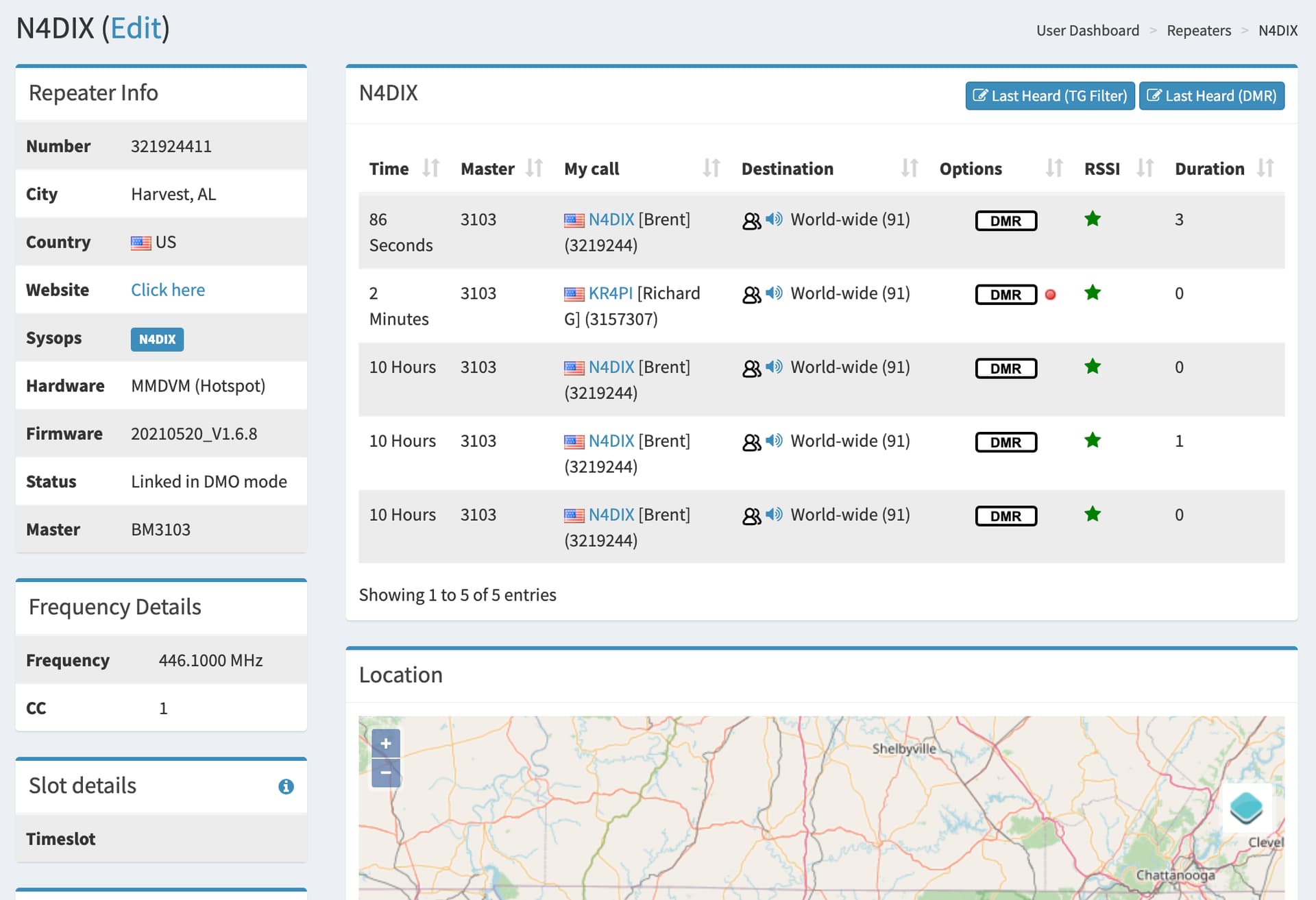
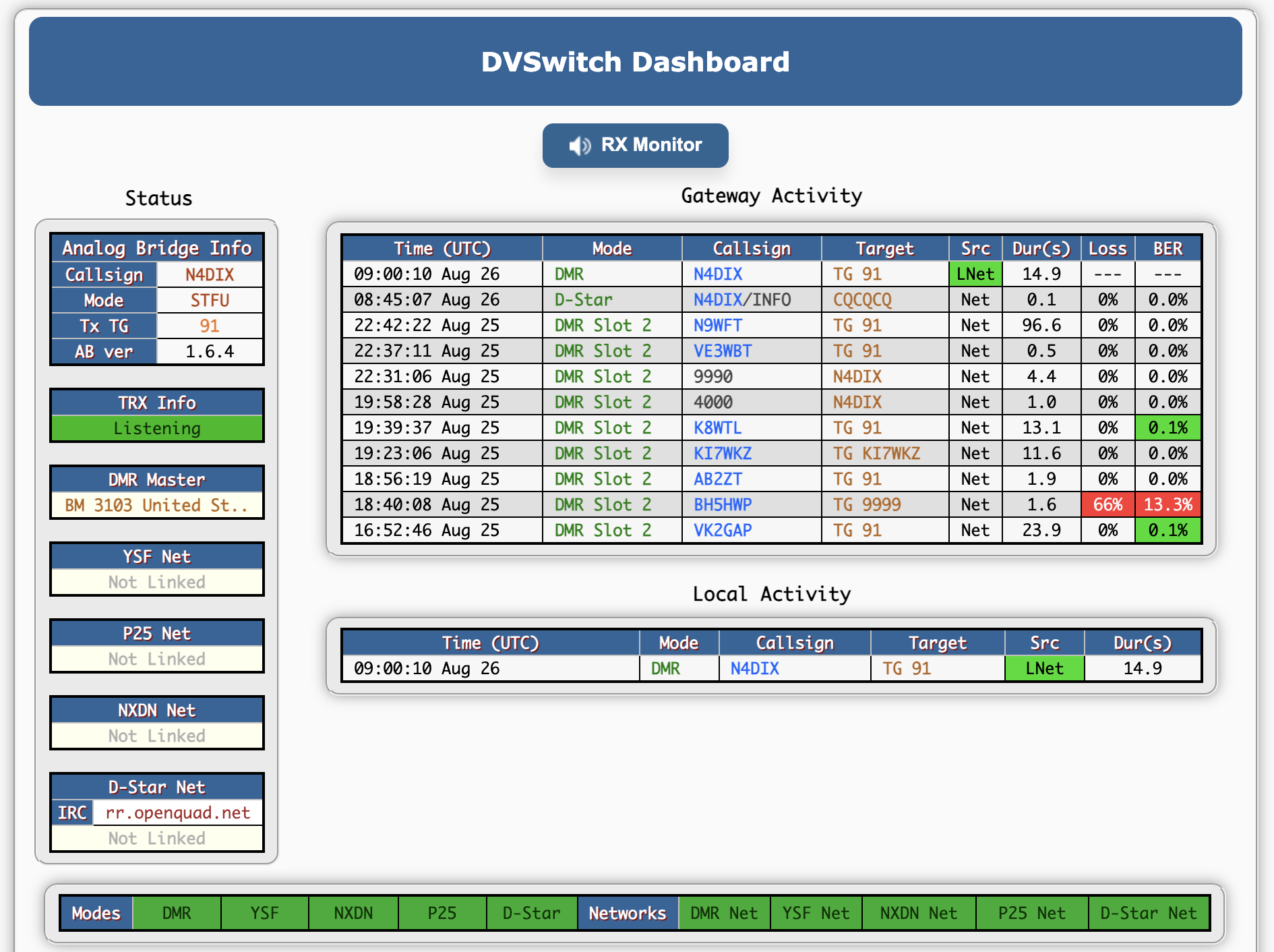
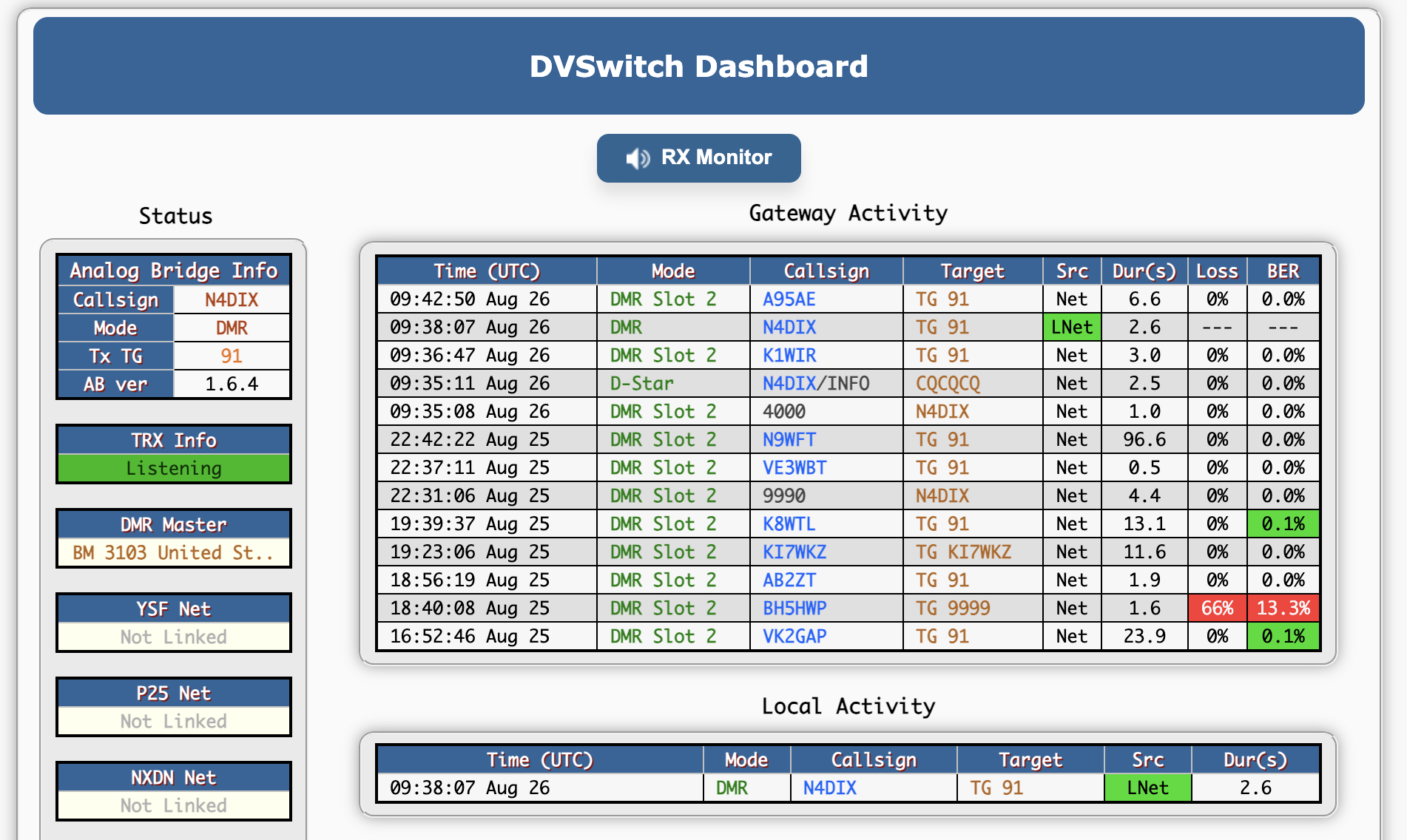
Here are the relevant ini file entries (actual DMR hotspot pw not shown ;-): I did already have the STFU stanza configured in DVSwitch.ini but with the 9 digit DMR ID for the hotspot vs the 7 digit base DMR ID. Changing that and restarting didn’t seem to make a difference. I did notice the [STFU] stanza isn’t highlighted in green text like the other stanzas but assume that’s likely just a nano editor thing.
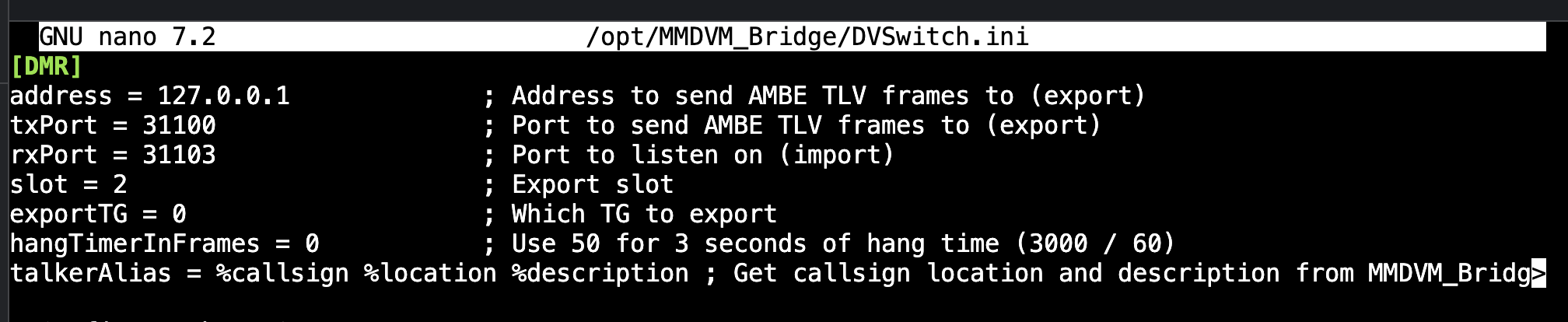
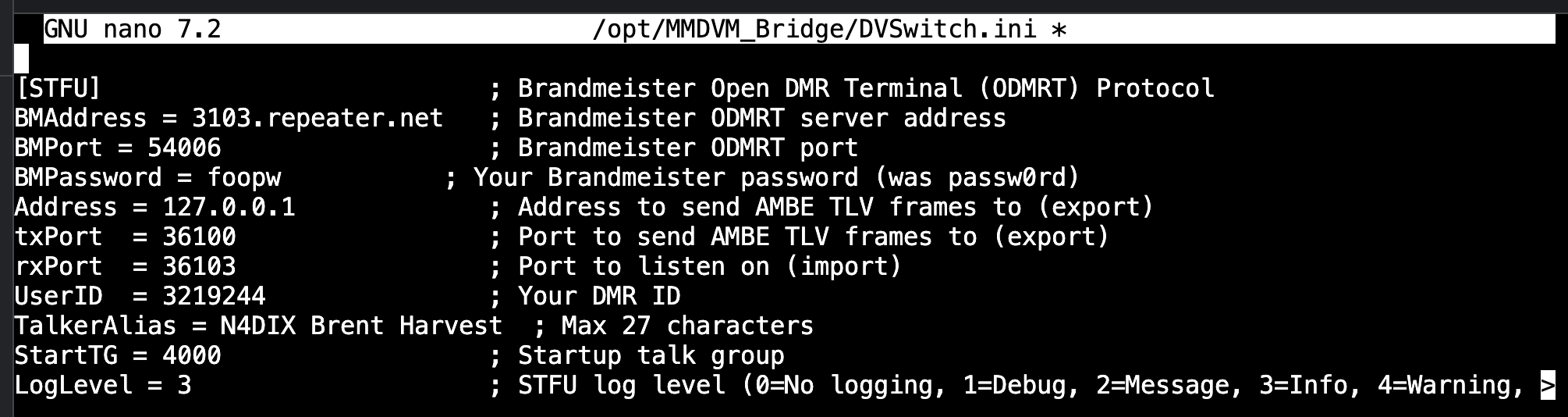
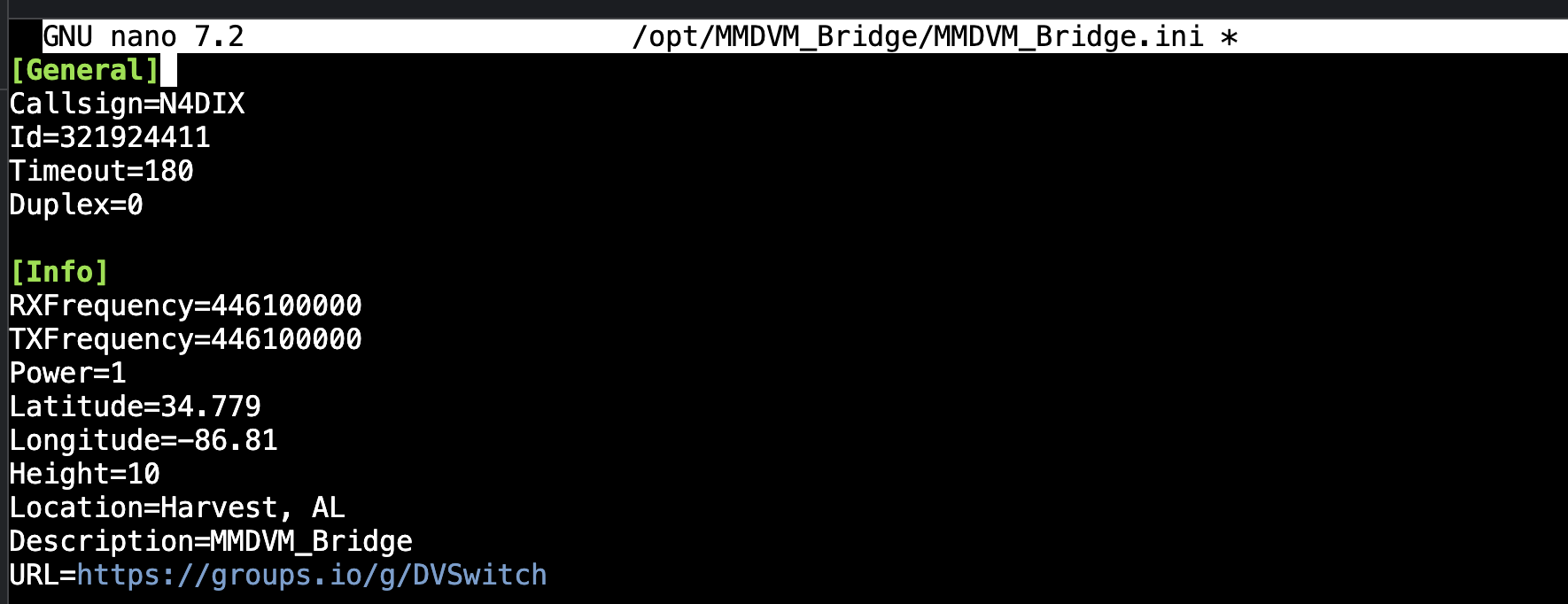

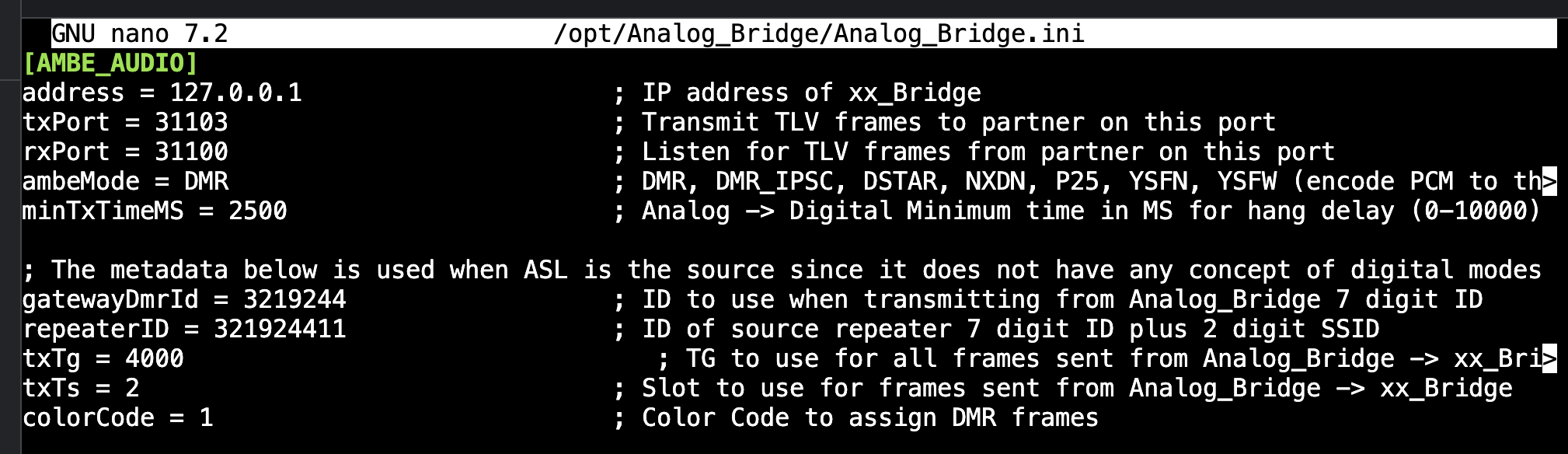
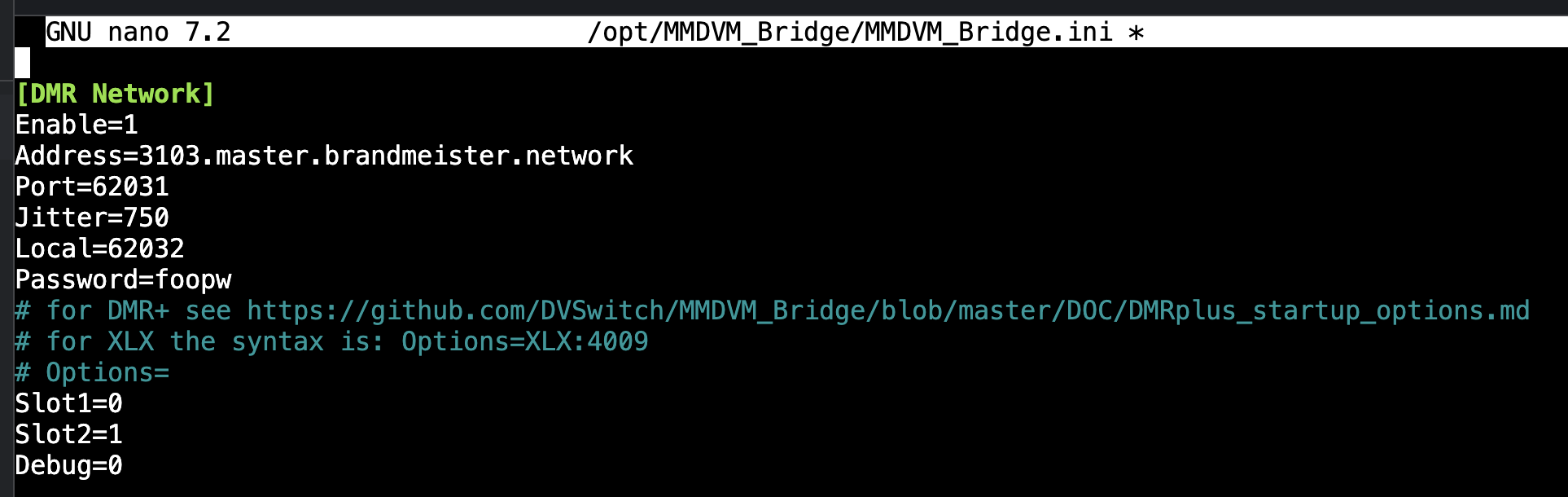
Would appreciate your insights and further suggestions.
Quick update: I’ve been trying out various 2 digit, 3 digit, 4 digit, 5 digit and 6 digit Brandmeister talk groups this morning and finding, per you comments on the node net, this issue seems to be TG specific. Some work just fine and others have the audio muting issue. Haven’t found much of a pattern yet as some work and some don’t work in pretty much every category except 2-digit (haven’t found one that works yet). Unfortunately, three of the ones I’m most interested in (91, 92 & 3100) are on the naughty list.
Hi Brent:
I’m glad you find the All Nodes Net useful.
I’m totally blind, so I can’t (easily) read screenshots.
Yes, STFU can be installed with
sudo apt update
sudo apt install stfu
Brandmeister has a special page for showing active ODMRT connections. Don’t remember what that URL is, though.
When you activate STFU, you should either disable the MMDVM_Bridge service, turn off DMR network, or change to another MMDVM server so that both MMDVM and STFU are not active on Brandmeister at the same time.
I can no longer use Brandmeister, because my account was suspended last year due to what they perceived as violating their terms of service, and is now in a permanent state of ‘pending approval,’ so I can’t really help too much further.
When I was allowed to use Brandmeister, 91 worked just fine with STFU, not MMDVM. Brandmeister also likes to block statewide talkgroups for anything that isn’t a real MMDVM hotspot. I don’t remember if this includes 3100.
Like I said before, I no longer have access to Brandmeister, and most likely never will again.
I’d avoid using DVSwitch on BM and maybe get a dedicated DMR hotspot/radio. As Patrick said, they don’t like it on 3100, 91, 93, and most (if not all) of the statewide tgs. Once they find it (which they usually do), your account gets shut off until you reach out to them.
Jim, K6JWN
Thanks to both of you for the insights and sound advice. I think I’ll just get a TGIF account and leave BM to their own walled garden.
No problem. Luckily there are plenty of other DMR networks out there that allow this kind of activity! 
Jim, K6JWN
FYI, STFU did solve the issue with all the BM TG’s I tried.